

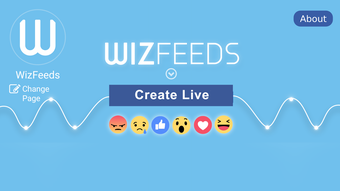
Description
Download WizFeeds LIVE APK – live stream video, pictures, Facebook, drag and drop, multimedia app, free Android app, create live video, social media content
Overview
WizFeeds LIVE is a free multimedia Android application designed to help users create live stream videos using static images and wallpapers. Developed by NeemApp, the app enables individuals to broadcast dynamic visual content directly to Facebook through a simple drag-and-drop interface. It is tailored for social media enthusiasts, content creators, and casual users seeking to engage their audience with creative, picture-based live streams. The software allows users to compile a sequence of images into a live video format, ideal for sharing events, personal stories, or curated visual presentations in real time.
By enabling screen broadcasting with minimal setup, WizFeeds LIVE reduces the technical barrier to live content creation. The app supports background operation, allowing users to perform other tasks while maintaining the stream. This functionality is particularly useful for multitasking during live sessions. While the developer did not provide additional system requirements, the app’s lightweight design—12.4 MB in size—suggests low resource consumption. Real-world usage scenarios include live photo slideshows, digital storytelling, and interactive fan engagement on Facebook.
Key Features & Capabilities
- Drag-and-drop image integration – Users can easily add photos and wallpapers to the live stream by dragging them into the app’s interface, simplifying content assembly.
- Direct Facebook broadcasting – The app enables real-time streaming directly to Facebook, eliminating the need for third-party tools or complex configurations.
- Background operation support – WizFeeds LIVE can continue running in the background, allowing users to switch apps or perform other tasks without interrupting the stream.
- Simple visual workflow – A user-friendly interface ensures that even non-technical users can create and manage live video content in minutes.
- Free access with no in-app purchases – The application is available at no cost, offering full functionality without paywalls or hidden fees.
These features collectively empower users to create engaging, visually rich live streams without requiring advanced video editing skills. For example, a user can compile a series of travel photos into a live slideshow while sharing commentary via voice or text. Another scenario involves a content creator using a rotating gallery of artwork to build audience interaction during a live Q&A session. The ability to stream directly to Facebook enhances reach and real-time engagement.
User Interface, Workflow & Performance
The user interface of WizFeeds LIVE is structured around simplicity and direct interaction. The main screen displays a preview area where uploaded images are arranged, with intuitive controls for managing the sequence and timing. Navigation is streamlined, relying on touch gestures and minimal menu layers to maintain focus on content creation. The drag-and-drop functionality is responsive, allowing users to reorder images or add new ones with ease.
Workflow efficiency is optimized for quick setup, with minimal steps required to begin a live stream. Once configured, users can start broadcasting with a single tap. The app’s performance is expected to be smooth given its lightweight footprint of 12.4 MB, though exact performance details were not specified. The developer did not provide information on CPU or RAM usage, nor on stability under prolonged use. However, the app’s background operation capability suggests it is designed to run efficiently in the background without significant system impact.
Compatibility & System Requirements
WizFeeds LIVE is compatible with Android operating systems, though specific version requirements were not listed. The app has a file size of 12.4 MB, indicating it is optimized for devices with limited storage. Installation is straightforward, and the app is designed to function on standard Android devices. The developer did not specify minimum hardware requirements such as RAM, processor type, or storage space beyond the app size.
Platform compatibility information is limited to Android, with no details on tablet support or compatibility with specific Android versions. The app is available as an APK file, allowing users to install it outside the Google Play Store. For optimal performance, the developer recommends using the app while connected to Wi-Fi, suggesting that streaming may consume significant bandwidth. Users should ensure their device meets general Android app requirements to run the application successfully.
Pros and Cons
Pros
- Free to download and use with no in-app purchases
- Simple drag-and-drop interface for easy content creation
- Direct Facebook streaming without third-party tools
- Background operation enables multitasking during live sessions
- Lightweight design with minimal storage requirements
Cons
- No information on minimum Android version or hardware requirements
- Performance and stability under extended use were not specified
- Only supports Facebook as a streaming platform
- Background operation may affect battery life on some devices
- Reliance on Wi-Fi for best streaming quality may limit mobility
FAQ Section
Is WizFeeds LIVE available for iOS devices?
WizFeeds LIVE is currently only available for Android. There is no official version for iOS devices.
Can I use WizFeeds LIVE without an internet connection?
While the app can be launched offline, it requires an active internet connection to stream content to Facebook. Offline use is limited to content preparation and preview.
Is the app safe to download and install?
WizFeeds LIVE is a free Android app developed by NeemApp. As with any third-party APK, users should ensure they download from trusted sources to minimize security risks.
Does WizFeeds LIVE support other social media platforms?
Based on available information, the app only supports live streaming to Facebook. No integration with platforms like Instagram, YouTube, or TikTok has been confirmed.
How often are updates released for WizFeeds LIVE?
The app’s update frequency is not specified. Users are advised to check the developer’s official channel for the latest version.
Final Thoughts + CTA
WizFeeds LIVE delivers a focused, user-friendly solution for creating live stream videos using pictures and sharing them directly on Facebook. Its drag-and-drop interface, background operation, and free access make it an appealing tool for social media content creators and casual users alike. While detailed system requirements and performance data are not available, the app’s lightweight nature and straightforward design suggest it is suitable for a wide range of Android devices.
For individuals seeking a simple, no-cost way to enhance their Facebook presence with visual storytelling, WizFeeds LIVE offers a compelling option. The ability to stream live content without complex setup or technical knowledge is a significant advantage. Despite its limitations in platform support and lack of detailed specifications, the app fulfills its core purpose effectively.
Download WizFeeds LIVE now
Guides & Tutorials for WizFeeds LIVE APK
How to install WizFeeds LIVE APK
- Click the Preview / Download button above.
- Once redirected, accept the terms and click Install.
- Wait for the WizFeeds LIVE APK download to finish on your device.
How to use WizFeeds LIVE APK
This software is primarily used for its core features described above. Open the app after installation to explore its capabilities.
User Reviews for WizFeeds LIVE APK 0
No reviews found





